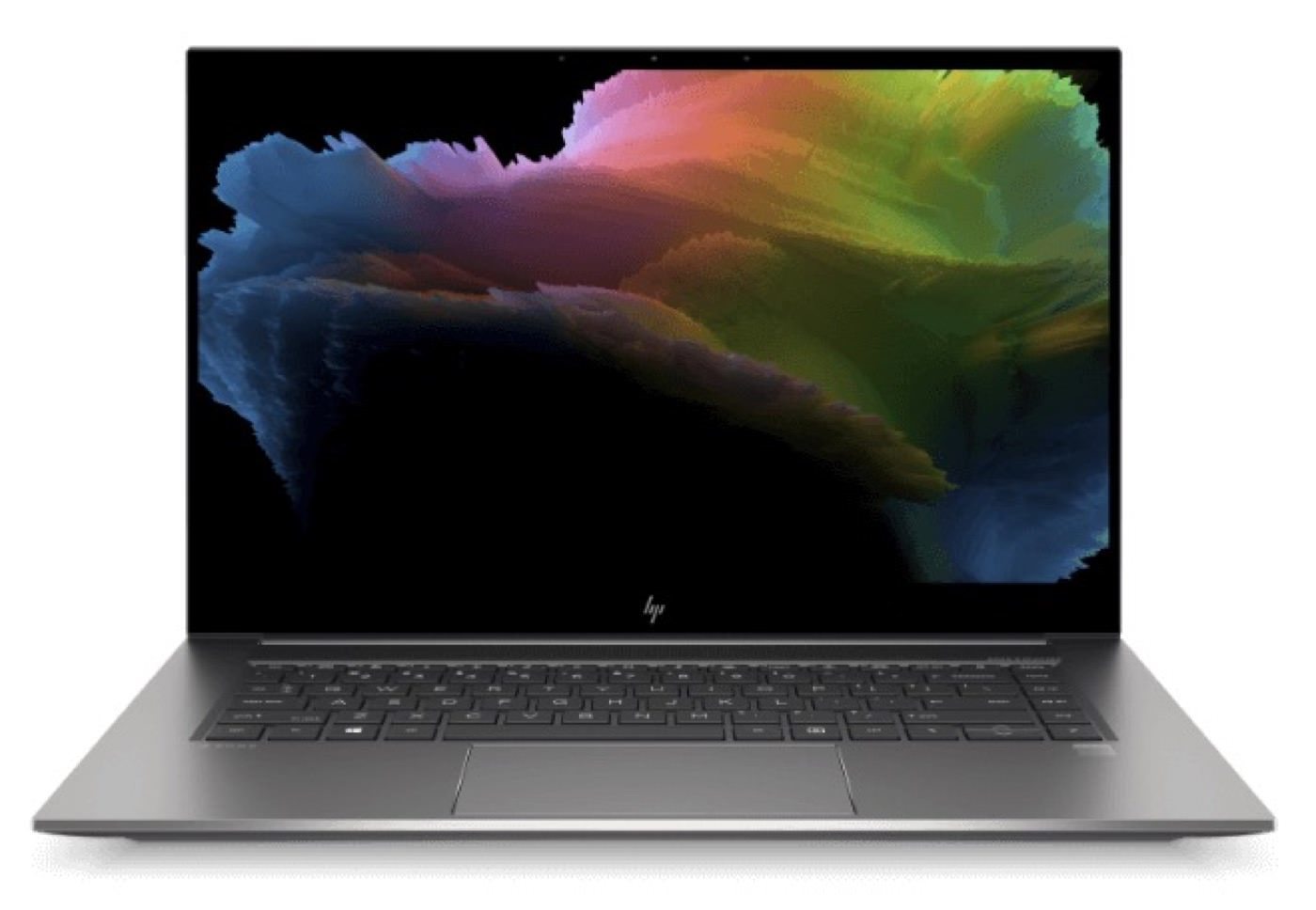
Choosing a gift for a photographer that actually hits the spot is a real challenge. Everyone has different needs and tastes, and even a piece of gear costing several thousand zlotys can miss the mark. The same goes for cheap gadgets that are fun for about 5 minutes. Or that can simply break, like a camera-shaped USB stick made somewhere in China, where nobody knows what is really inside.

If you know exactly what the person wants to receive, buying gear can be a bullseye and a dream come true for a photographer. Unfortunately it is quite an expensive hobby, so I’ll give you a few universal ideas that can also make a great gift.
Because memory matters
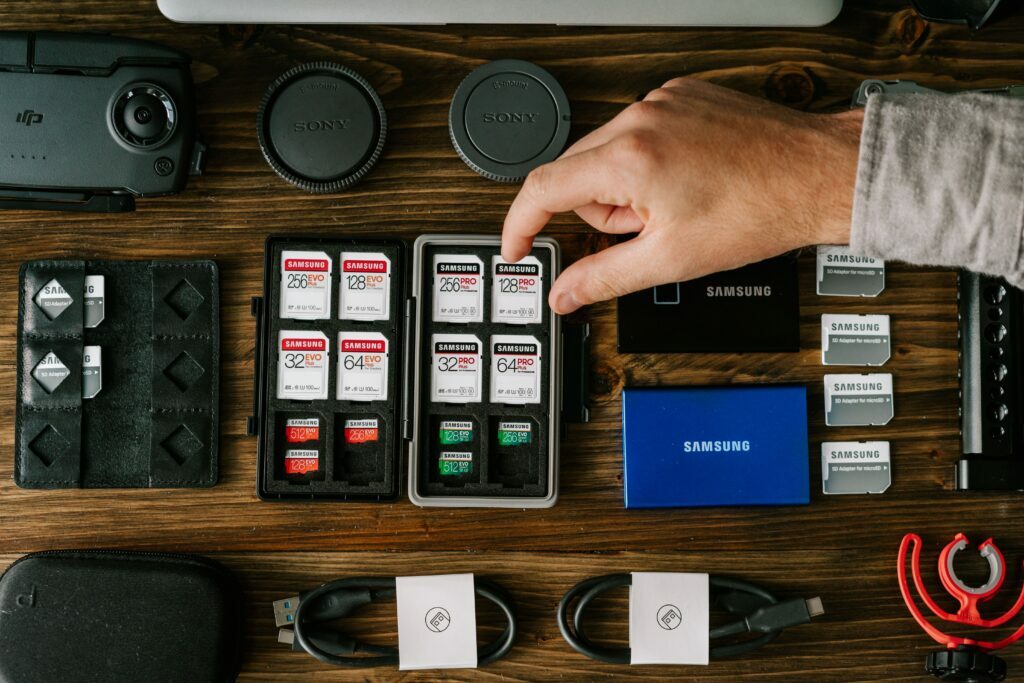
For people who shoot a lot, good memory cards or hard drives make a great gift, because memory matters. With memory cards, it’s worth finding out what the photographer uses. You can do that simply by asking which memory cards they use in their camera and what they recommend. You might also learn whether it’s a good gift for that particular photographer.
Usually these are SD and microSD cards. Still, it’s worth making sure, because there are also XQD, CompactFlash or CFexpress cards in various versions.
microSD cards are mostly used in action cameras and drones because of their size, and almost always only one card is used, so it’s better to pick one small good card than a big one from an unknown brand.
Full-size SD/SDHC/SDXC cards are the most popular format for digital cameras, and they are better than microSD cards used through an adapter. Using microSD cards in a camera through an adapter usually brings more problems than benefits. Adapters usually wear out faster, and if a card is damaged it’s harder to recover the data, because you have to get inside the microSD, which is packed much more tightly.
What memory card capacity should you choose?
Considering the size of sensors and the files they produce, and the fact that more and more people also shoot video, I recommend 64GB cards, which always come in handy when there is a lot of work. I even considered handing out this kind of gift for a photographer at the wedding of friends from the industry, so they would stop borrowing cards from me.
If you choose cards of 64GB or more, you can be sure they are SDXC cards, which support the exFAT file format. It not only supports large drive capacities and writing files larger than 4GB, which matters especially when working with video files. On cards up to 32GB you will still find the SDHC standard, which works on FAT32 and splits files over 4GB into fragments. So you won’t be able to copy a pirated 4K Blu-ray film in top quality onto such a card. 😉
Memory card speed
SD cards are divided mainly into the UHS-I, UHS-II and UHS-III standards, where the latter two have higher read/write speeds but require a suitable camera and card readers. However, if we buy a card that is too fast, nothing bad will happen, because it will simply work in the UHS-I standard.
UHS-II is also divided into 3 categories: V30, V60 and V90. For photos and simple recordings, V30 is usually enough. In simple terms, it is the lowest write speed, which is mostly useful for filmmakers. Or for photographers who shoot very frequent and long bursts, because even though today’s cameras have a buffer for a few dozen photos, the card’s write speed lets it empty faster. The maximum speeds are:
- UHS-I: up to 104 MB/s
- UHS-II: up to 312 MB/s
- UHS-III: up to 624 MB/s
Personally, in my Sony A7III I mostly use large SDXC cards, Samsung Evo Plus 64GB and 256GB, on which I save photos in parallel, and one of the slots supports only UHS-I, so they won’t work faster than the slower one.
1. microSD cards
The most popular and proven memory cards are made by SanDisk, Lexar and Samsung, and you can get them with different read/write speeds and capacities.
There are also cards like Angelbird, working in the UHS-II standard, which offers fast data transfer, and the cards themselves look very durable. The manufacturer gives a 3-year warranty on the cards and offers its own data recovery, which will surely appeal to professionals, for whom the material from a job is worth far more than the cards themselves.
Looking at their price and how many bloggers and YouTubers recommended them, I do wonder whether they are really worth that much. They are probably some of the most expensive cards on the market, when in the same category you can get equally fast and rugged SONY TOUGH SD cards, which are recommended for truly extreme use.
ANGELBIRD AV PRO MICROSD 128 GB V60 MEMORY CARD
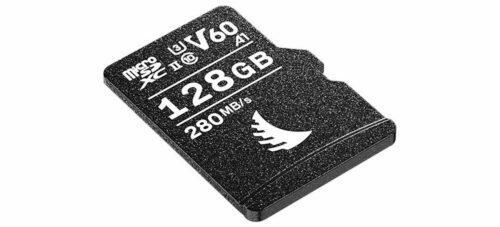
The Mercedes among microSD cards, and probably the smallest capacity of microSD cards from this company. It guarantees a minimum write speed of 60MB/s, which should be enough even for recording 4K and 8K.
Key specifications:
- Interface: SDXC™, SD 6.1, UHS-II
- Operating temperature: -25°C | 85°C
- Storage temperature: -40°C | 85°C
- Sequential read speed: 280 MB/s
- Sequential read speed: 160 MB/s
- Sustained read speed: 260 MB/s
- Sustained write speed: 140 MB/s
Samsung EVO Plus 2021 microSDXC 128GB

For over a year I’ve been using large Samsung SD cards and I can honestly recommend them. I even have the impression that they are better made than my old SanDisk Extreme Pros, which tend to come unglued over time. At a reasonable price they also offer decent specs. I recommend the Evo Plus 128GB even though smaller sizes exist too. The 128GB version already has a higher application performance class, A2 (better than A1), in case someone wants to use it in a phone or a similar device. It also has the V30 video speed class, so it meets the minimum speed for the 4K format.
Key specifications:
- Interface: SDXC™, UHS-I
- Video class “V”: V30
- Operating temperature: -25°C | 85°C
- Storage temperature: -40°C | 85°C
- Read speed: 130 MB/s
- Write speed: 100 MB/s
SanDisk microSDXC 128GB Extreme PRO V30 Class 10

SanDisk is a memory card classic, and the Extreme Pro version is the top series among these cards, offering very high read/write speeds. The card shown is a UHS-I card, which will meet the requirements of most photographers and filmmakers.
Key specifications:
- Interface: SDXC™, UHS-I
- Video class “V”: V30
- Operating temperature: -25°C | 85°C
- Storage temperature: -40°C | 85°C
- Read speed: 170 MB/s
- Write speed: 90 MB/s
2. SD cards I recommend as a gift
If you are looking for SD cards for cameras, the rules are practically the same as for microSD cards. Here I want to stress, though, that if you are looking for an SD card for a camera, don’t choose a microSD with an adapter. It usually creates more problems than benefits because of the extra contact points, which are easier to damage.
SANDISK SDXC 64GB Extreme PRO Class 10 UHS-I U3

This is a memory card similar to the microSD version mentioned above, this time full-size for digital cameras, but with a slightly smaller capacity. Of course it all depends on your needs, but I usually prefer to have several smaller cards that I can keep in a sealed case during a shoot, rather than everything on one big card. I used to use similar 32GB cards, but after switching to cameras that generate larger files, 64GB is optimal.
Key specifications:
- Interface: SDXC™, UHS-I
- Video class “V”: V30
- Operating temperature: -25°C | 85°C
- Storage temperature: -40°C | 85°C
- Read speed: 170 MB/s
- Write speed: 90 MB/s
Samsung EVO Plus 2021 SDXC 256GB UHS-I
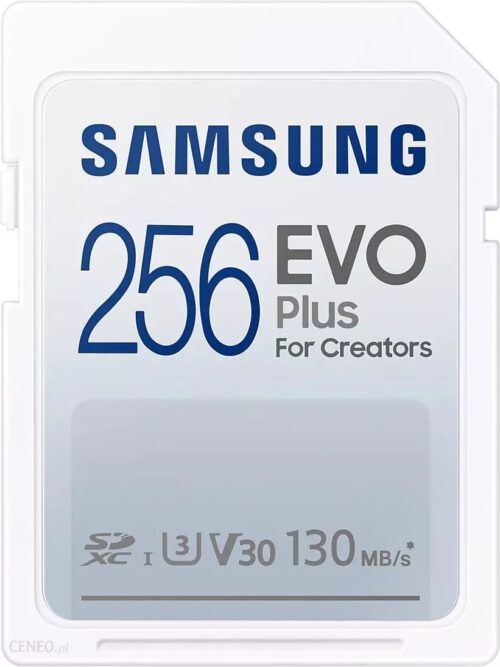
The very name EVO Plus For Creators says it’s a card for creators, so it should be a great idea for a gift for a photographer. It’s big, fast and, in my opinion, better made than SanDisk Extreme Pro cards, which, even though they are meant for professional creators, tend to delaminate. Generally that is a common flaw of SD cards, which are cheaper than CompactFlash memory and the like, but it’s worth replacing them every few years. For that reason I use identical 256GB cards in the camera body for parallel writing, and I copy photos from the 64GB cards, and I try to take the big one out of the body as rarely as possible.
Key specifications:
- Interface: SDXC™, UHS-I
- Video class “V”: V30
- Operating temperature: -25°C | 85°C
- Storage temperature: -40°C | 85°C
- Read speed: 130 MB/s
- Write speed: 100 MB/s
Angelbird SDXC AV Pro V60 MK2 UHS-II

I won’t recommend V90 cards for PLN 1000, because that’s already a bit crazy. If you want to give someone a genuinely powerful UHS-II card in the V60 class, you can get this Angelbird card for around PLN 330. For most cameras it leaves plenty of headroom for 4K video, for which U3/V30 is usually enough. For stills you can fire away with this card like a machine gun, and it also quickly copies the material to a drive so you can edit it afterwards.
Key specifications:
- sustained read speed: 260 MB / s
- sustained write speed: 140 MB / s
- sequential read speed: 280 MB / s
- sequential write speed: 160 MB / s
- minimum write speed: 60 MB / s
- type SDXC / UHS-II / V60 / U3 / class 10
- supports recording video in Full HD, 3D and 4K resolution
- stable stream (Stable Stream system)
- operating temperature: from -25 to 85°C
- storage temperature: -40 to 85°C
- the card is resistant to shocks, dust, water, extreme temperatures, X-rays and magnets
- built-in write-protect switch
- compatible with Canon, Sony, Leica, Nikon, Fujifilm, Blackmagic Design, Hasselblad, Pentax, Panasonic, Olympus, Lumix and other cameras and camcorders
3. Memory card case
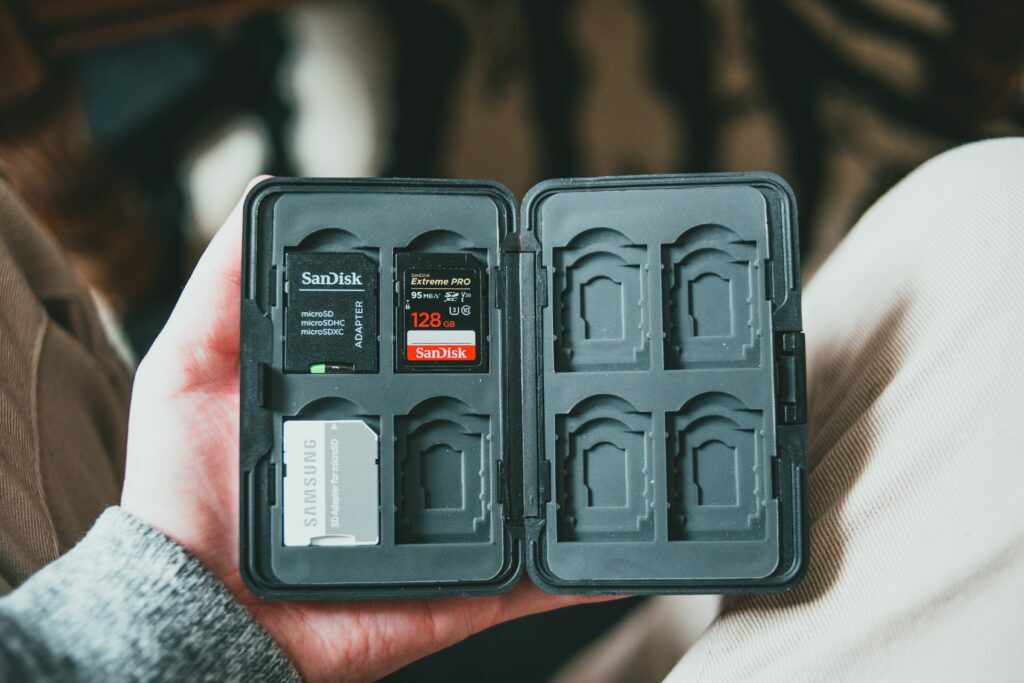
If we’re talking about memory cards, a good memory card case will come in handy sooner or later. For some time now I’ve been using a sealed one with room for microSD cards and large SD cards. The way it closes and the rubber gasket all around give the impression of a construction that should survive even a bath in water, but I’d rather not test it. It also works for storing spare memory cards at home, or in a second bag or backpack.
4. HDD drives for backups
The most economical and convenient solution for making backups is external USB HDD drives. For a 1TB drive we’ll pay around PLN 200. They aren’t the fastest, but they are cheap and large, so they work well as a place for a backup copy of old photos that we want easy access to if needed.

Such drives connect with a USB cable that comes in the box. The cheaper ones come in plastic enclosures, while the more expensive ones have a more designer or metal finish, and even seals against dust or moisture. Usually these are visual differences; sometimes you get some software or services, or a longer warranty on the hardware (not on the data). So in the end it’s better to buy two cheap branded drives than to count on one in a nice enclosure lasting longer. The same rule applies to making backups on NAS servers, where you often use 2, 4 or more drives that form a safe system in case one of the drives fails.
HDD drives worth a look
The first two drives are the most ordinary drives you can copy something onto and put away in a drawer. From what I’ve seen, the Silicon Power is a bit faster than them for an HDD, and it also has a sealed port. A gimmick, but still something. I bought one some time ago at a good price and have no complaints. It serves me as a backup of some of the files from my QNAP.
- WD Elements Portable HDD 1TB – see it on Ceneo
- Seagate Expansion Portable 1TB – see it on Ceneo
- Silicon Power Armor A85 1TB – see it on Ceneo
5. Portable SSD drives for professionals
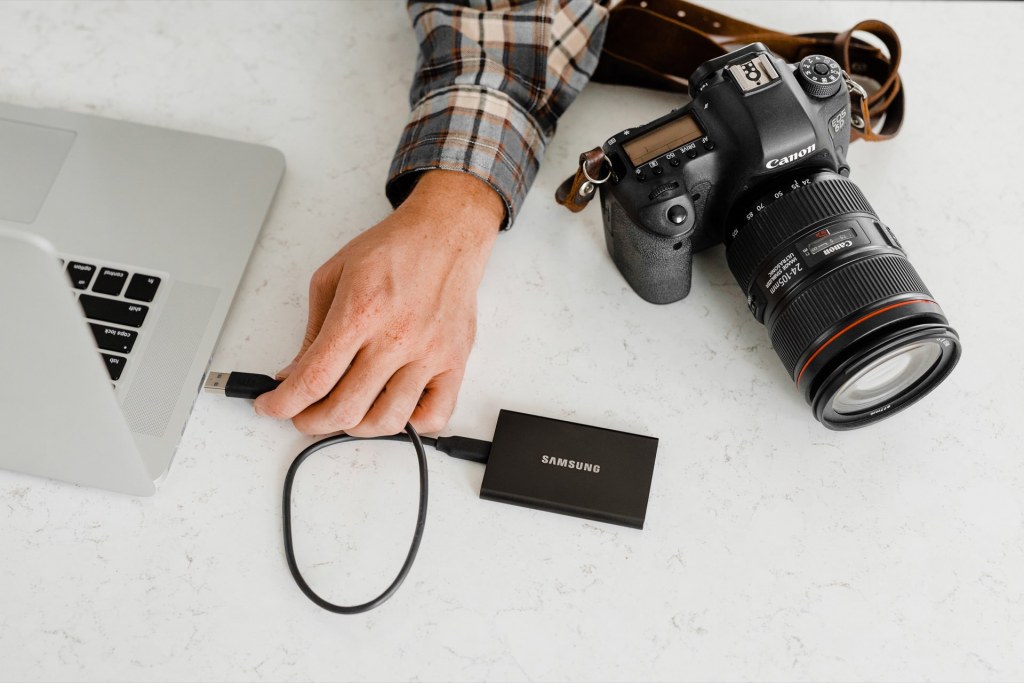
Portable SSD drives are 5-10 times faster than USB HDD drives. There are also SSD drives such as the Samsung Portable SSD X5, which reach dizzying speeds of 2300 MB/s write and 2800 MB/s read. (A SATA SSD in a laptop reaches around 500 MB/s.) Connected to a MacBook or some premium laptop with a fast PCIe SSD, such drives can reach speeds similar to the drive inside the computer. So you can comfortably work directly on them.
Portable SSD drives are a good choice for people who want to use them all the time and who care about speed. You can often comfortably keep the photos you’re going to edit on them. I use a Samsung T5 512GB SSD myself when I need to offload more photos during an event away from home. It’s also handy for quickly passing material on if I’m working with someone, because a few hundred or a few thousand RAW photos copy in a few minutes instead of several dozen minutes, or longer.
10. Portable SSD drives worth a look
Samsung T7 1TB
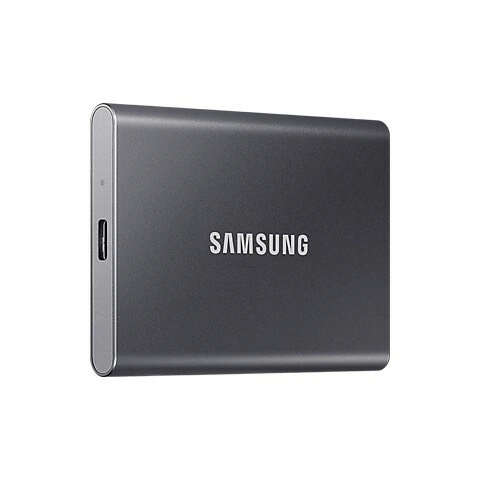
The Samsung T7 is the next generation of portable USB 3.1 SSD drives. I still use the T5 version (which had read and write speeds of around 500 MB/s). The T7 is 2x faster and offers reads up to 1050 MB/s and writes up to 1000 MB/s.
SanDisk Portable SSD 1TB USB 3.2

The SanDisk Portable SSD 1TB USB 3.2 has practically the same specs as the Samsung T7, but differs in design, which won the Red Dot Design Award 2021. The SanDisk may look sturdier, but it only has the IP55 standard vs IP65 in the Samsung. On the other hand, it has a handy loop for a carabiner, or for tying a Peak Design anchor to it.
Samsung Portable SSD X5
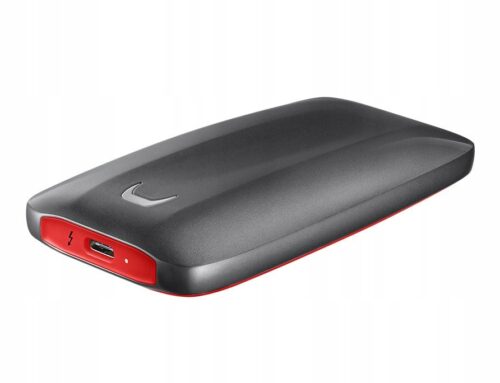
The Samsung Portable SSD X5 is a real speed demon. Thanks to the Thunderbolt 3 connector (the computer must have it to reach maximum transfer) and NVMe drives, it reaches 2,800 MB/s read and 2,300 MB/s write.
11. USB stick for a photographer
The first thing that comes to your mind is probably a USB stick shaped like a camera or a roll of film. I’m not convinced by those, though, because a lot of such gadgets are cheap Chinese memory. The Allegro site is full of them. I’d be afraid to use them, let alone carry any important files on them, because of the risk of losing the data.
I’d rather go for a good SanDisk or Samsung USB stick, which definitely have better memory chips and transfer specs. Today the standard is USB 3.0, 3.1 and so on, so it’s worth thinking about something convenient, e.g. a USB stick with a USB-C port, which you can also plug into an Android phone, a small laptop or a MacBook.
- SanDisk 128GB Ultra Dual Drive Go USB Type-C – see it on Ceneo
- SanDisk Ultra Dual Drive USB-C 128GB – see it on Ceneo
- SanDisk Extreme Pro 128GB 420/380 MB/s Flash Drive USB 3.1 – see it on Ceneo
- Samsung Bar Plus 2020 128GB Champaign Silver – see it on Ceneo
12. Lens-shaped mug

For me this is a product category on the border between practical and kitsch. I wouldn’t buy such a mug myself, but I wouldn’t mind having one. It’s not something I dream of getting from Santa at Christmas. Luckily it’s not a big expense and plenty of photographers will surely like it. The only snag might be if someone is a die-hard Nikon fan and gets a mug modelled on a Canon lens.
13. Lens-shaped thermos
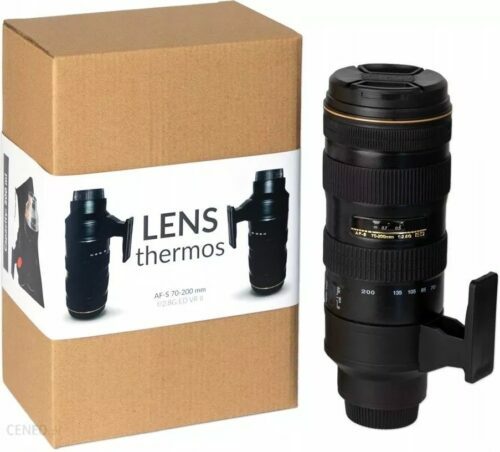
If your photographer likes to drink coffee on the road, you can also think about a lens-shaped thermos, which you can fill with a favourite drink that will stay hot (or cold) for a long time. At home you can also make a larger batch of coffee in it and sip it all day.
14. Socks for a photographer

If you know someone likes colourful patterned socks, nice socks from ManyMornings or another good brand are also a fun and practical idea. You only need to know the recipient’s foot size. For 2-3 tenners you’ll get cool socks with photo patterns, or something for coffee fans, if they can’t work without it.
You’ll find cool socks at https://manymornings.com – I use them and recommend them.
15. Canon Selphy photo printer

It’s nice to have prints of your photos, whether as a keepsake, to show clients like a portfolio, or as an extra for a session that you can prepare at home. The printer itself costs around PLN 500, but remember the special cartridge kits and paper, which costs around PLN 130 for 100 sheets. Photos print only in 10×15 format, but with it you can also make a collage of several smaller photos, e.g. for ID photos. At home, Agnieszka made several small photos on each sheet of paper and put them on our magnetic wall with photos from our trips.
16. Portable printer
There are also portable printers that print photos on special paper that already contains everything needed to develop the photo. You can take photos with your phone, add filters, captions or decorations, and only then print them.
Printers for Zink paper are available, which prints borderless photos that you can, for example, stick on thanks to an adhesive layer on the back. Printing happens by heating the pigment in the paper, which is why the technology is called ZINK, from Zero Ink. You don’t need to replace any cartridges in the device. You just need to replace the paper packs.
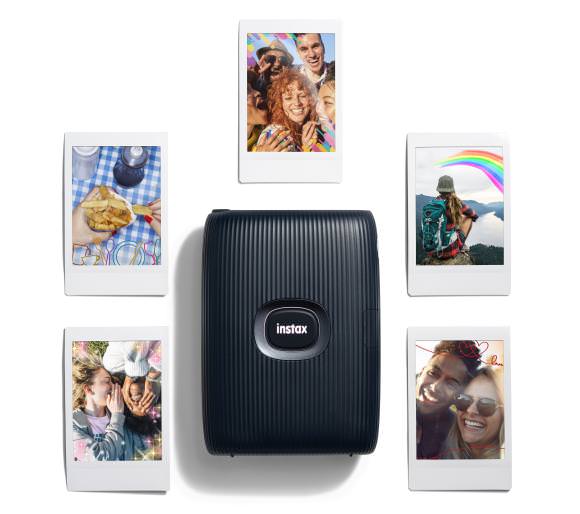
Another portable printer technology is Instax, which prints Polaroid-style photos on paper with a characteristic white (most often) frame.
Printers may come with a trial pack, but it’s also worth buying spare paper.
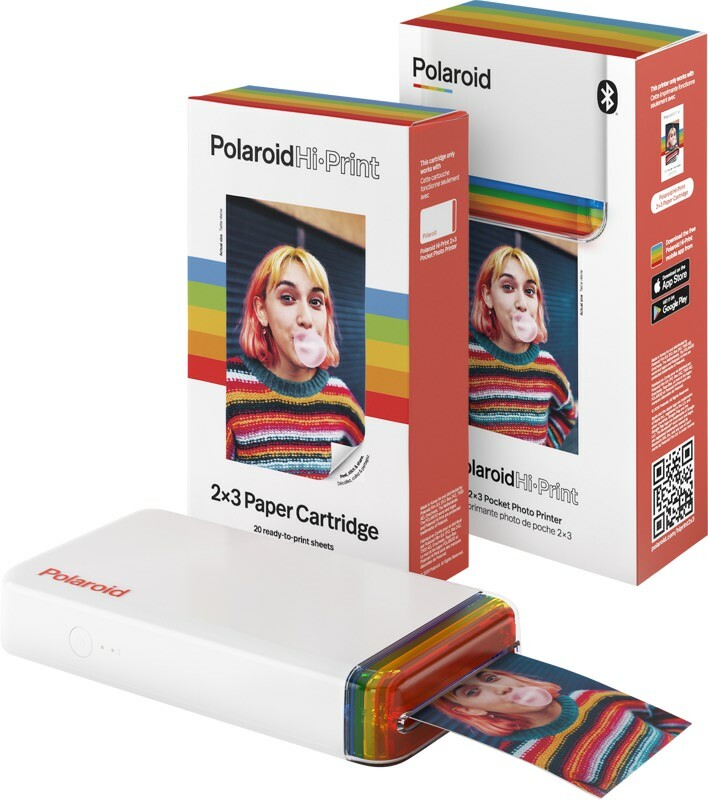
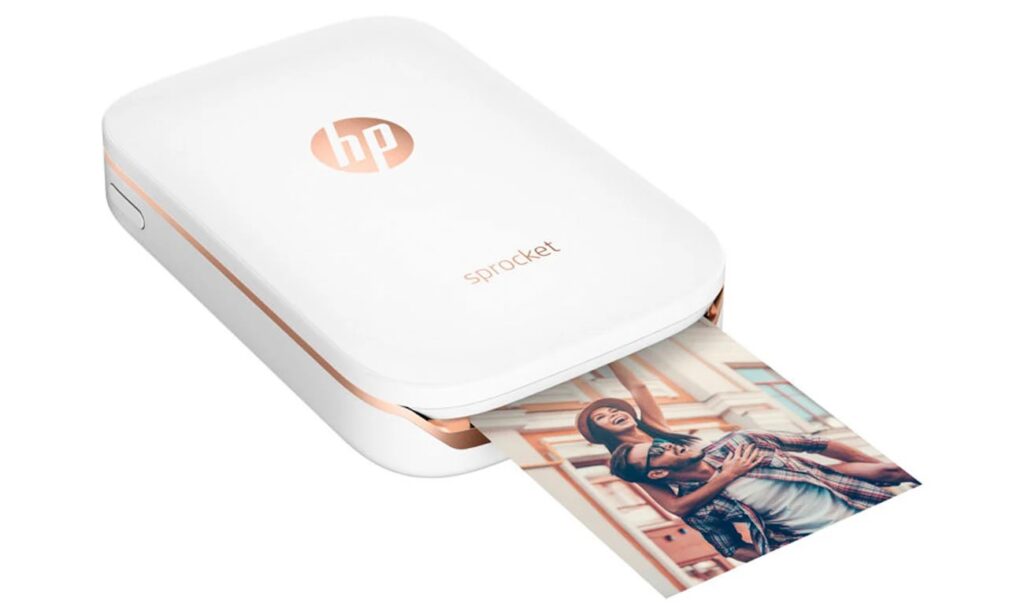
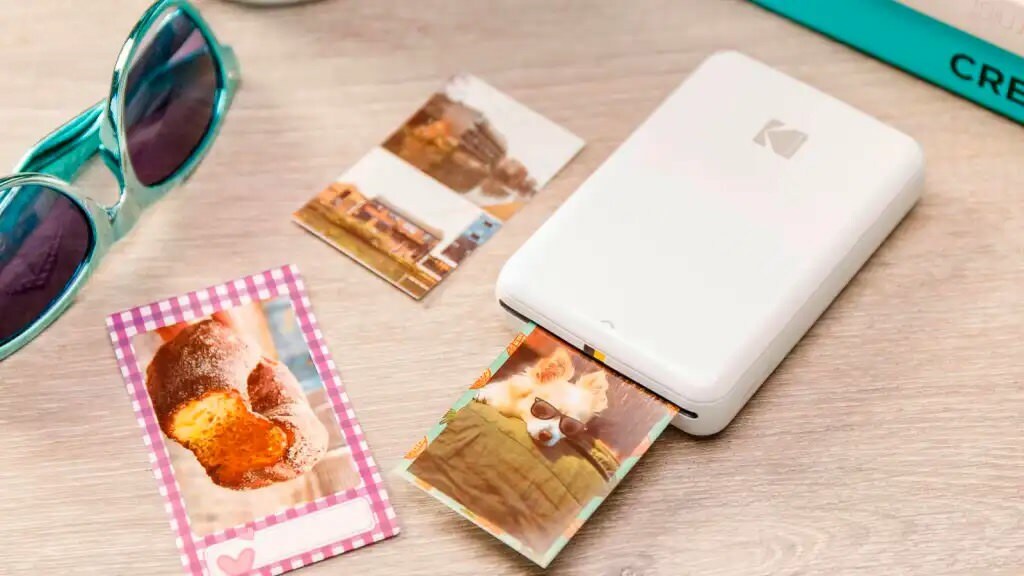
ZINK printers
A nice solution thanks to the many personalisation options before printing. This way you can make stickers as a gift with photos that also have captions.
Polaroid HI-PRINT POCKET
HP Sprocket
Kodak Step Printer
Fuji Fujifilm Instax printers
Fuji Fujifilm Instax Mini Link 2
Fuji Fujifilm Instax Wide

17. Fujifilm Instax Mini 11 camera

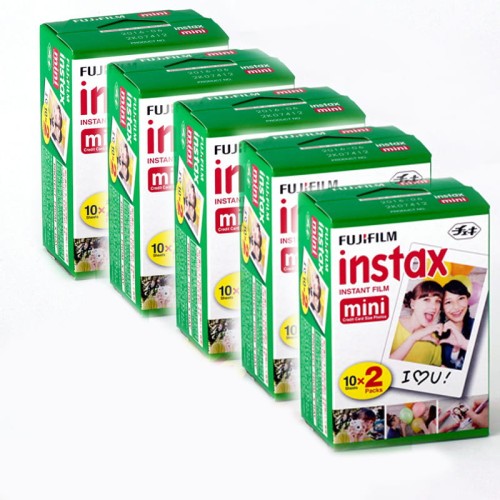
If you like the feel of Polaroid photos, you can also think about a Fuji Instax camera, which prints the photo straight away. You can’t pick one out of 10 and edit it in Photoshop. You take the photo and a few seconds later it’s ready. That makes every photo special and one of a kind. The mini version is the most popular, and the film is reasonably priced too, around PLN 80 for 20 photos, which is PLN 4 per photo.
18. Fujifilm Instax Wide camera
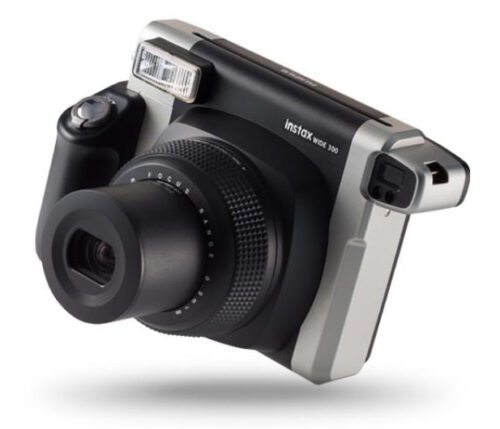
If you want photos in a larger format, nothing stands in the way, because there is also an Instax in the wide version, which unfortunately has more expensive film, so it’s worth thinking the purchase through, because the price of the camera is nothing next to what someone who takes loads of photos will spend.
19. Good photo books
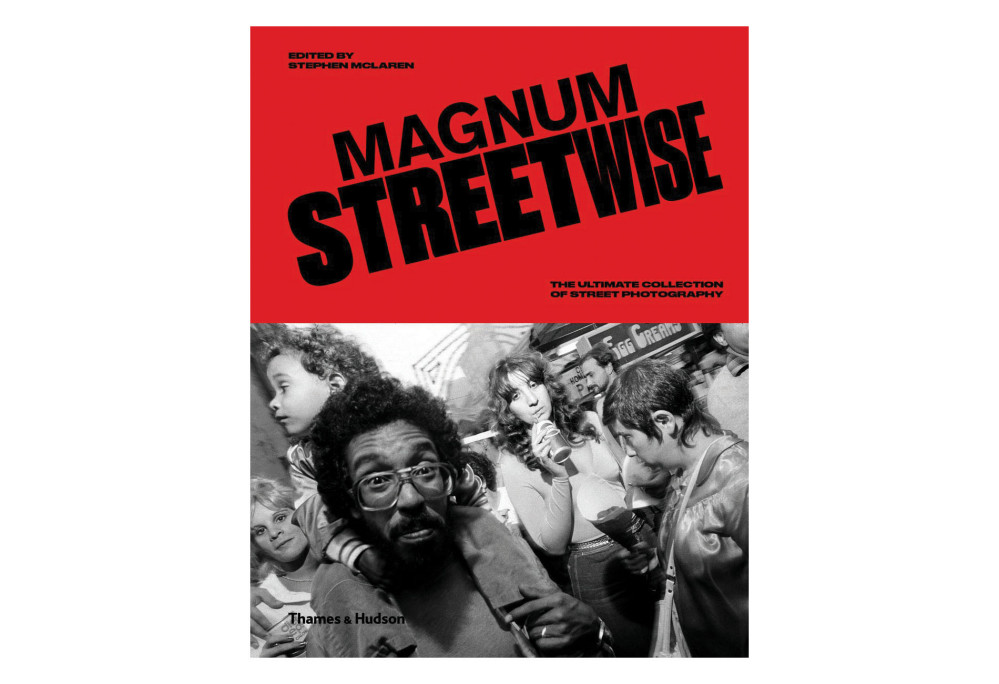
Photo books by famous photographers, or collections from agencies such as Magnum, also make an interesting gift. You can aim for a subject the photographer is interested in, or go a bit wild and give them some inspiration from a different field. Unfortunately, good photo books, because of their artistic value, size, paper and colour printing, are not among the cheapest and can cost several hundred zlotys or even more.
When looking for photo books, watch out for sales. Even though there are cheap books there, they aren’t necessarily good. You really have to dig around for gems, because the most interesting ones are usually hard to find and expensive. There are also inexpensive photography guides, but I’d rather aim those at beginner photographers. I once bought a few books by David duChemin, which you can get for a few dozen to a hundred-odd zlotys. Although these days I’d rather have a good course or training.
20. Dream gear

I don’t know what to put here, because you’re the ones who should know what your photographer dreams of. As for me, it could be the Sony A9II or the Canon R5.
Here, as above, you have to know the recipient’s preferences, so there’s not much I can suggest. One will want a wide lens for interiors, someone else a zoom for photographing the moon, and yet another a macro lens. I try not to think about it myself, because I’d spend everything I have to buy everything I have in my head. It’s better to make full use of what you already have.
My dream gift

I once needed a camera backpack, because with the amount of gear in my camera bag my back was giving out. While browsing different models at Fotoforma, the Lowepro ProTactic BP 450 AW II caught my eye, and I later asked the guys in the shop about it. In the end I got it for my birthday and it still works great to this day: my back doesn’t hurt as much, I can pack a laptop and run around with everything on my back. You can find more about the gear I use to photograph events in this post.